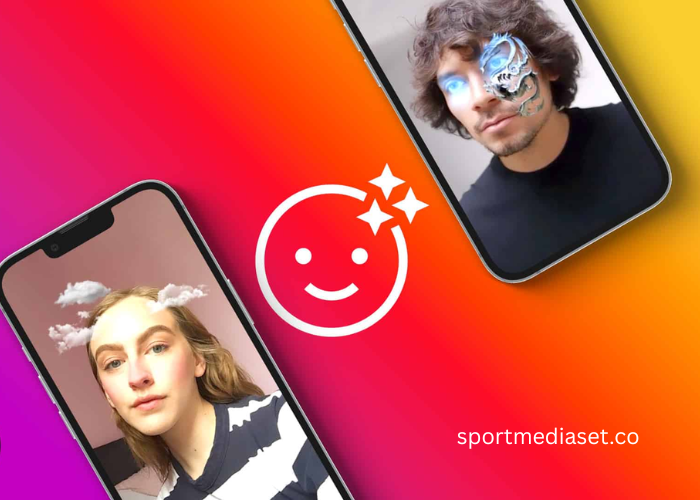
Have you ever been scrolling through your Instagram stories and stumbled upon a filter that completely changes the vibe of your video? Maybe it adds a soft vintage glow or puts a goofy pair of sunglasses on your face. It is easy to assume that these little pieces of digital magic are made by a massive team of high tech developers at Meta. But honestly, that isn’t the case at all. A huge chunk of the most popular filters you see every day are actually made by regular people like you and me.
I remember the first time I thought about making my own. I figured it would involve thousands of lines of code and a degree in computer science. Boy, was I wrong. Once you get past the initial intimidation factor, creating Augmented Reality filters is surprisingly fun and deeply addictive. It is a great way to express your creativity or even promote your brand in a way that feels organic. Let’s break down how you can go from a filter fan to a filter creator without pulling your hair out.
Getting Started with Meta Spark Studio
The very first thing you need to do is download the right software. For Instagram and Facebook, the official tool is called Meta Spark Studio. It is completely free and works on both Windows and Mac. When you first open it, you might feel a bit overwhelmed because there are a lot of buttons and panels. It looks a bit like a professional video editing suite or a 3D modeling program.
Don’t let the interface scare you off. The cool thing about Spark Studio is that it comes packed with templates. If you want to make a face mask or a color grading filter, you can just click on a template and see how it is built. This is how I learned. I’d open a project that already worked and poke around until I understood which part controlled the colors and which part controlled the 3D objects. It’s like taking an old clock apart to see how it ticks before you try to build your own.
The Secret World of Face Tracking
Most people want to make something that interacts with their face. This is where face tracking comes into play. In the software, you’ll add something called a face tracker. This is basically an invisible anchor that follows the movements of whoever is looking into the camera. Whether they tilt their head or open their mouth, the tracker stays locked on.
Once you have that tracker, you add a face mesh. Think of this as a digital mask that sits perfectly over your skin. If you want to create a makeup look or add some cool tattoos to your cheeks, you’ll apply a texture to this mesh. You can create these textures in a simple drawing program. I usually just use a transparent canvas and draw some stars or sparkles. When you import that image into Spark Studio and link it to the mesh, it suddenly looks like it is painted right onto your face. It is a bit of a “eureka” moment when you see it work for the first time.
Playing with Colors and Lut Filters
Maybe you aren’t into 3D objects and you just want your videos to look like matildem they were shot on 35mm film. These are called color filters, and they are probably the most used ones on the platform. To do this, you use something called a LUT, which stands for Look Up Table. It sounds technical, but it is just a fancy way of telling the computer to swap one color for another.
You’ll find plenty of free LUT files online that give you that moody, cinematic look. You just import the file and connect it to your camera feed in the patch editor. The patch editor is a visual way of coding. Instead of writing text, you’re just dragging boxes around and connecting them with little lines. It’s very intuitive once you get the hang of it. Honestly, seeing a dull bedroom video transform into a warm, sunset dream with just one click is incredibly satisfying.
Adding 3D Objects and Fun Effects
If you want to get really fancy, you can start bringing in 3D models. Maybe you want a crown to float above your head or a little pet to sit on your shoulder. You can find free 3D models in various corners of the internet, but you have to make sure they are small files. Instagram has a limit on how big your filter can be because it needs to load instantly on someone’s phone.
Positioning these objects is where the trial and error happens. You have to make sure the crown doesn’t disappear into your forehead when you lean forward. It takes a bit of tweaking, but that is part of the charm. I spent about three hours once just trying to get a pair of digital cat ears to sit at the right angle. It felt like a waste of time until I sent it to my friends and they couldn’t stop using it. That is when you realize the effort was worth it.
Testing and Publishing Your Creation
Before you show the world, you need to test your filter. There is a “Test on Device” button that sends a link to your phone. This is a crucial step because things often look different on a small screen than they do on a big monitor. You might realize your sparkles are too bright or your color filter makes everything look a bit too orange.
Once you are happy, you upload it to the Spark Hub. You’ll need to record a short video of yourself using the filter to act as a preview and pick a fun icon. Meta usually takes a day or two to review your filter to make sure it follows their rules. They’re mostly looking to make sure it isn’t offensive or buggy. Once it is approved, it goes live on your profile, and anyone can use it. Seeing the “Used by” number go up is a total ego boost, I won’t lie.
A Satisfying Creative Outlet
Creating AR filters is one of those hobbies that combines art with a tiny bit of logic. It is a great way to stay ahead of the curve in the social media world. You don’t need to be an expert to start. You just need a bit of patience and a willingness to click around until something cool happens.
Whether you are doing it for your business or just to give your friends something to laugh at, making custom filters is a fantastic skill to have. It makes the digital world feel a bit more personal and a lot more creative. So, go ahead and download the software. You might just find yourself spending your weekend designing the next viral Instagram sensation. It is a wild ride, and the best part is that you are the one in the driver’s seat.